FEATURES
Capture, change and automate
every request.
Probe is a debugging proxy and API client for macOS and Windows. Everything on this page ships in the same app, free during the beta.
CAPTURE
Decrypt traffic from every device you test on.
Point a phone, a simulator or a desktop app at Probe and every HTTP and HTTPS request shows up decrypted, in real time.
HTTPS interception
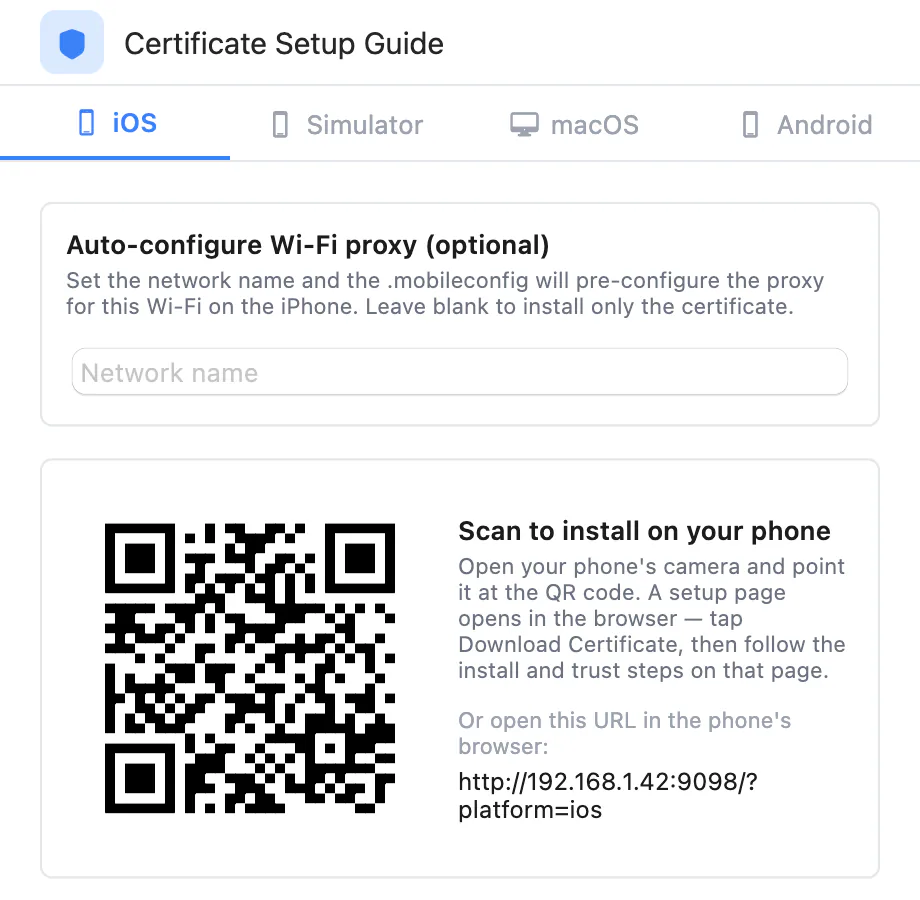
A full man-in-the-middle proxy with auto-generated certificates, trusted by iOS, macOS, Android and Windows.A full man-in-the-middle proxy with auto-generated certificates, trusted by iOS, macOS, Android and Windows. Probe creates the certificate authority for you.
Mobile device debugging
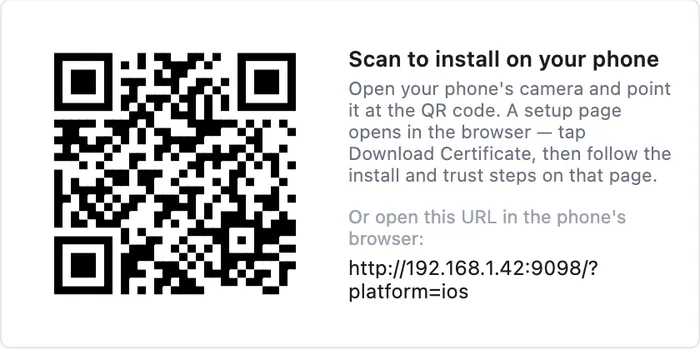
Inspect traffic from iPhones, iPads and Android devices on your local network. Install the certificate by scanning a QR code.
Pre-configured terminal
Open a shell already routed through Probe: Terminal.app or iTerm2 on macOS, Windows Terminal or PowerShell on Windows. curl, python, ruby, go and Node clients are captured.Open a shell already routed through Probe: Terminal.app or iTerm2 on macOS, Windows Terminal or PowerShell on Windows. curl, python, ruby and go are captured, and a bundled Node shim covers axios, got, node-fetch and native fetch().
Find the request that matters.
Cut a noisy capture down to the requests you care about, and keep them for later.

Structure view
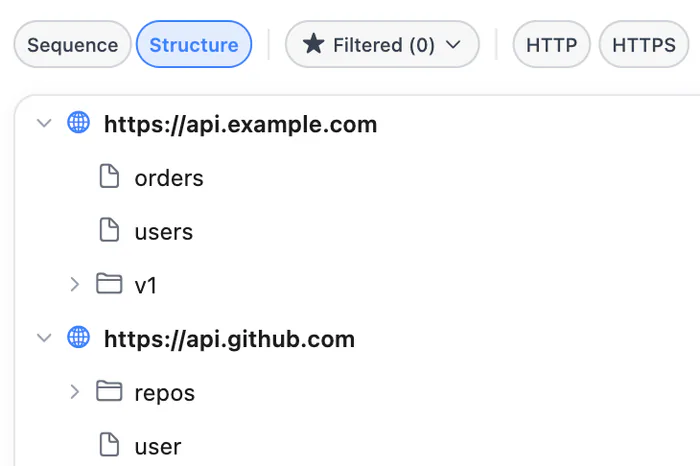
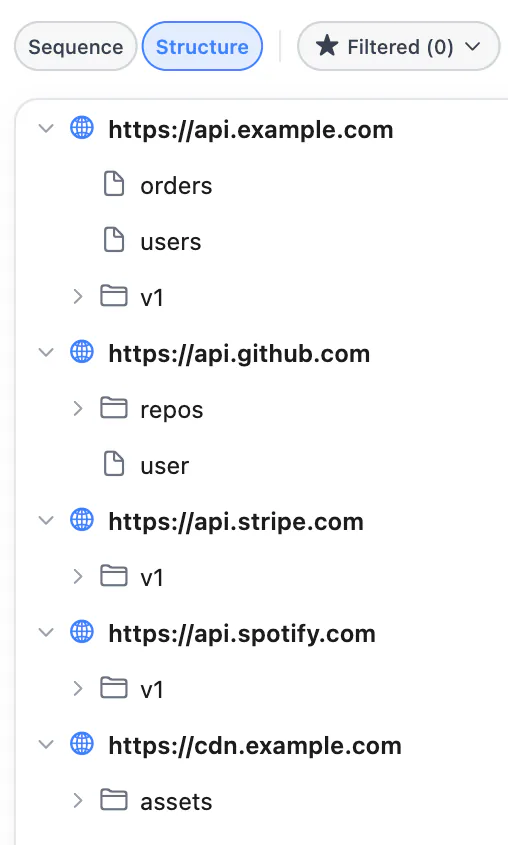
Group requests by domain and URL path in a tree instead of scrolling a flat list.
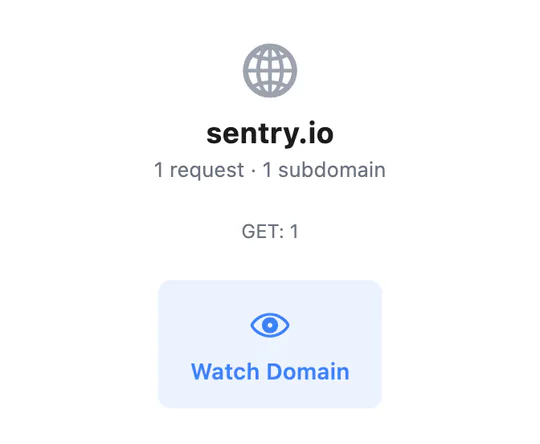
Domain watch
Unwatched domains collapse to a summary. Watched domains show every request.
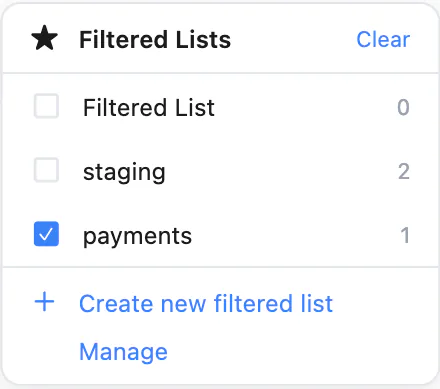
Filtered lists
Save filtered lists that isolate traffic by domain, method, status code or custom criteria.
Sessions
Save captured traffic as a session, then export or import session files to share with your team.
MODIFY
Test every edge case without changing code.
Produce what your backend won't give you on demand: a slow network, a staging server, a missing endpoint.
Breakpoints
Pause requests or responses by URL pattern, edit headers and body, then resume or abort.
Map Local
Answer any endpoint with a local file or an inline JSON, XML or HTML body, with custom status, headers and latency.Answer any endpoint with a local file or an inline JSON, XML or HTML body. Wildcard URL patterns, custom status and headers, simulated latency.
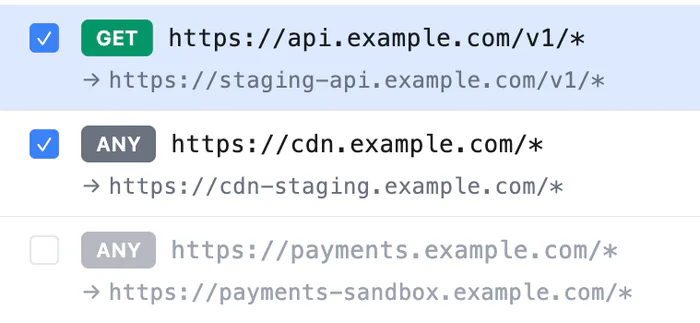
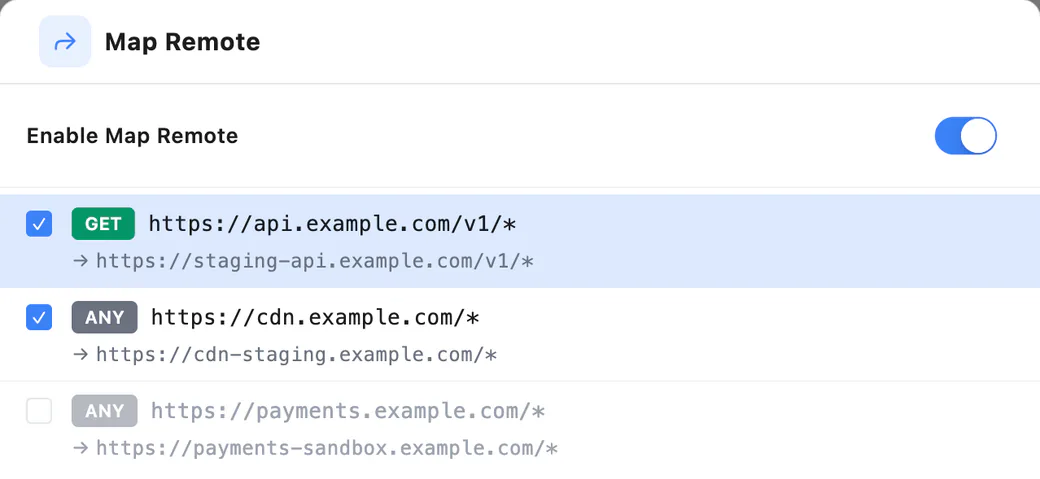
Map Remote
Send matching requests to a different upstream, such as a mobile build to staging, with path wildcards.Send matching requests to a different upstream: a mobile build to staging, a CDN to the real origin, production to localhost. Path wildcards and an optional preserve-Host toggle.
Mock Server
A standalone local server on port 9100. Create a mock from any captured response.
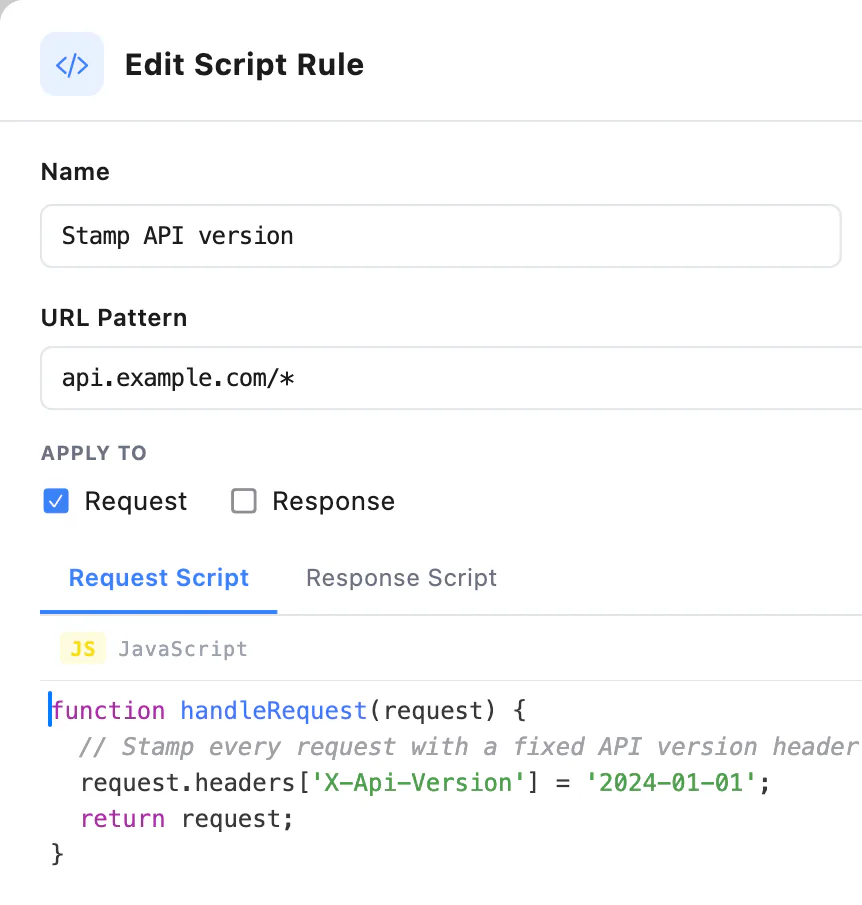
JavaScript scripting
Rewrite live requests and responses with JavaScript script rules.Rewrite live requests and responses with handleRequest / handleResponse script rules. Composer and Flows add pro.* scripts on the built-in QuickJS engine, with crypto utilities, assertions and dynamic variables.
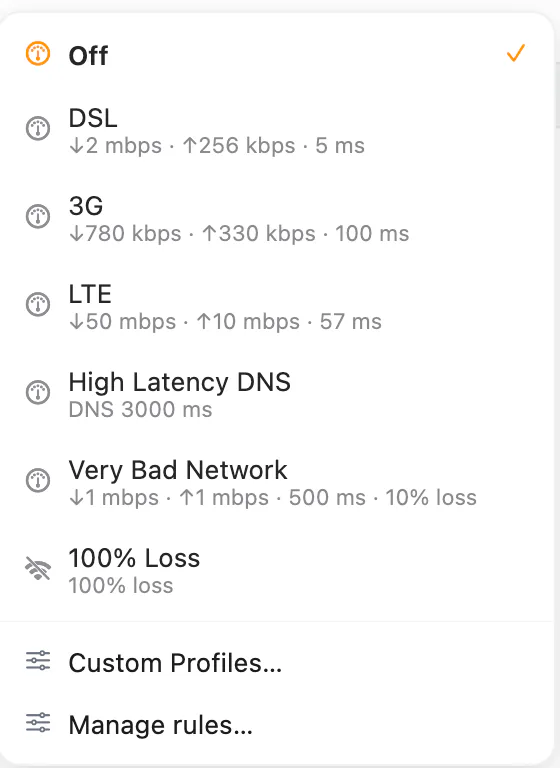
Network throttling
Global profiles like 3G and LTE, plus scoped rules for a host, URL glob or app.Global profiles such as 3G, LTE and 100% loss, plus scoped rules for a single host, URL glob or app.
AUTOMATE
Build requests by hand.
Run them in CI.
Next to the proxy sits a full API client. Save requests into collections, chain them into flows, and run those flows anywhere.Next to the proxy sits a full API client. Save requests into collections, chain them into flows, and run those flows from the app, the REST API, MCP or a headless CLI.
A full API client
next to your traffic.
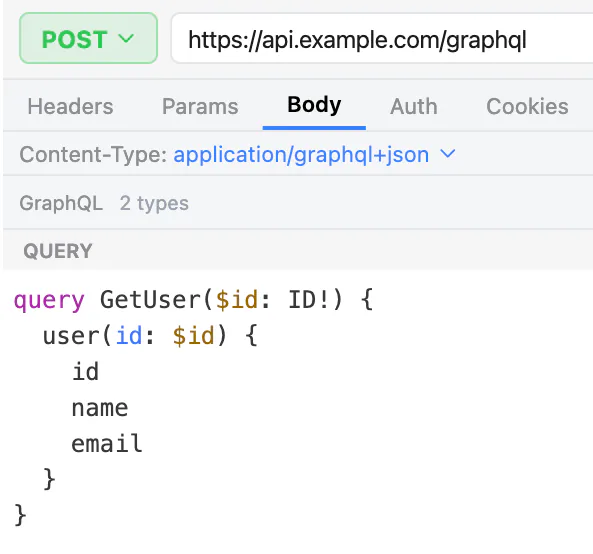
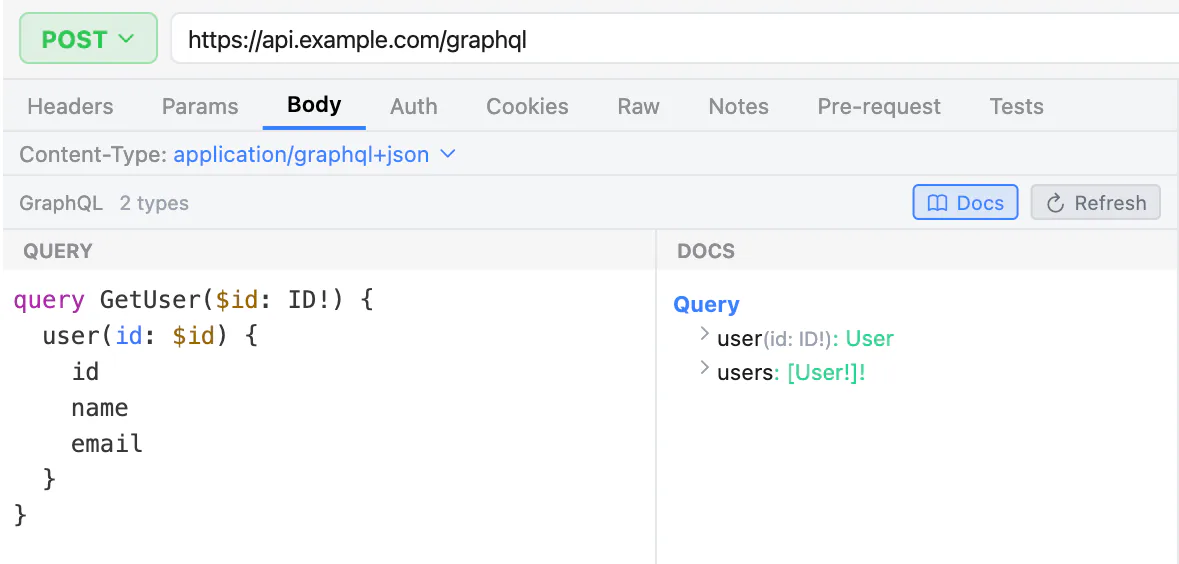
HTTP and GraphQL
Build requests from scratch. GraphQL gets a query editor with schema docs.
Collections and environments
Organize requests into collections, with auth, history and variables per environment.
Import and export
Import from cURL or Postman. Copy code as cURL or Axios, or export to Postman v2.1.
Chain requests into flows.
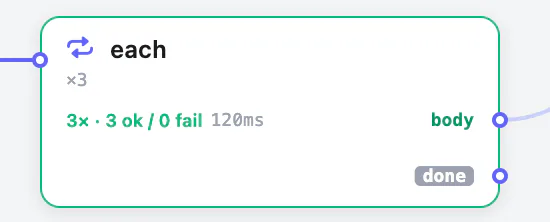

Chain requests into flows.
Visual canvas
Chain requests with extractions, assertions, conditions, loops, sub-flows and scripts.
Run anywhere
Start the same flow from the app, the REST API, MCP or the headless CLI.
AI AGENTS
Hand your traffic
to an AI agent.
MCP server with 110+ tools
Connect Claude Code, Cursor, Codex or any MCP client. Your agent can inspect traffic, replay requests, set breakpoints and create Map Local, Map Remote and Mock rules.Connect Claude Code, Cursor, Codex or any MCP client. Your agent can inspect traffic, replay requests, set breakpoints, run scripts, create Map Local, Map Remote and Mock rules, and analyze API behavior.
| AREA | EXAMPLE TOOLS |
|---|---|
| Inspect traffic | probe_list_trafficprobe_search_trafficprobe_get_request |
| Replay and diff | probe_replay_requestprobe_diff_traffic |
| Breakpoints | probe_create_breakpointprobe_resume_intercept |
| Map Local & Remote | probe_create_map_local_ruleprobe_create_map_remote_rule |
| Mock Server | probe_create_mock_ruleprobe_start_mock_server |
| Scripting | probe_add_script_ruleprobe_execute_script |
| Throttling | probe_set_throttleprobe_list_throttle_rules |
| API client | probe_send_requestprobe_export_collection |
| Flows | probe_list_flowsprobe_run_flow |
| Files | probe_remote_fs_list_dirprobe_remote_fs_upload |
| WebSocket | probe_ws_list_connectionsprobe_ws_get_frames |
| and 70+ more |
EXAMPLE TOOLS
- Inspect trafficprobe_list_traffic
- Replay and diffprobe_replay_request
- Breakpointsprobe_create_breakpoint
- Map Local & Remoteprobe_create_map_local_rule
- Mock Serverprobe_create_mock_rule
- Scriptingprobe_add_script_rule
- Flowsprobe_run_flow
- Filesprobe_remote_fs_list_dir
- WebSocketprobe_ws_get_frames
- and 80+ more
WORKS WITH
Claude Code · Cursor · Codex ·
any MCP client
FILES
Browse and edit remote files without leaving Probe.
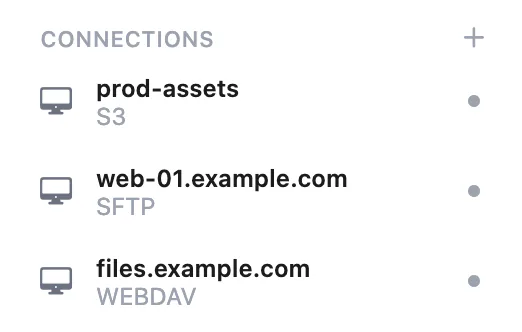
Connect to SFTP, FTP/FTPS, S3 and WebDAV servers. Each connection opens as a tab next to your traffic, with a transfer queue, edit-in-place and keychain-backed credentials.

Four protocols, one browser.
Connect over the protocol your server speaks. The browser, transfers and file operations work the same across all of them.
- SFTP
- SSH file transfer with host-key verification (trust on first use).SSH file transfer with host-key verification
(trust on first use). - FTP / FTPS
- Plain FTP, plus FTPS over TLS in explicit or implicit mode.Plain FTP, and explicit or implicit FTPS over TLS.
- S3
- Amazon S3 and S3-compatible stores: MinIO, Cloudflare R2 and custom endpoints.Amazon S3 and S3-compatible stores: MinIO,
Cloudflare R2 and custom endpoints. - WebDAV
- Any WebDAV server, including Nextcloud and ownCloud.WebDAV servers, including Nextcloud and ownCloud.
Work on remote files like local ones.
Each connection opens as a tab next to your traffic, and live connections stay listed in the sidebar.
Browse in a familiar file view
The file table shows Name, Size, Modified, Kind and Unix permissions (drwxr‑xr‑x), as a flat list or a tree, with a breadcrumb bar.The file table shows Name, Size, Modified, Kind and Unix permissions (drwxr‑xr‑x). Switch between a flat list and a tree, sort any column, and walk the path with the breadcrumb bar.
Transfer queue
Uploads and downloads run through a docked queue with per-file progress, speed, and pause, resume and cancel.Uploads and downloads run through a docked queue with per-file progress, speed, and pause, resume and cancel. Completed transfers clear on demand.
Edit remote files in place
Open a remote file in your default editor; Probe uploads every save.Open a remote file in your default editor. Probe downloads a working copy, watches it, and uploads your changes every time you save.
File operations
Rename, delete, create folders and download. A read/write/execute grid sets permissions and writes the octal mode.Rename, delete, create folders and download from the toolbar or the right-click menu. Change Unix permissions with a read/write/execute grid that writes the octal mode for you.
Bookmarks that keep secrets safe
Reconnect in one click. Passwords and S3 secret keys go to the macOS Keychain or Windows Credential Manager, never to a plaintext file.Save a connection as a bookmark and reconnect in one click. Passwords and S3 secret keys go to the macOS Keychain or Windows Credential Manager, never to a plaintext file or the bookmark itself.
Let your agent move the files.
An agent can list directories, move files and drive transfers through the probe-mcp server and the internal REST API.The Files engine is exposed over the internal REST API and the probe-mcp server. An agent can list directories, move files and drive transfers alongside the rest of Probe.
The agent only uses connections you open in the app. No tool connects to a server.
MCP TOOLS
- probe_list_remote_fs_connections
- probe_remote_fs_list_dir
- probe_remote_fs_mkdir
- probe_remote_fs_rename
- probe_remote_fs_delete
- probe_remote_fs_download
- probe_remote_fs_upload
- probe_remote_fs_transfers
MORE
More than an
HTTP proxy.
Probe also shows WebSocket frames, runs on a proxy core written in Rust, and speaks English, Vietnamese and Japanese.
WebSocket
Inspect frames of intercepted WebSocket connections, or open your own client tab.See every frame of intercepted WebSocket connections, and open your own in a client tab.
Built with Rust
The proxy core is written in Rust;
the app UI is Flutter.Multilingual
English, Tiếng Việt and 日本語, with more languages coming.